Your first battle
The tutorial
The first time you start Petalwar, a narrator walks you through the basics on Hearthland Basin before your first battle: how to look around the valley, how to zoom, how to select your engineers and how to send them with a right-click. Each step waits until you have done it, and there is no enemy to hurry you. This page shows every step as you will see it.

Contents
- Starting and skipping
- Welcome, Commander
- Look around
- Zoom
- Select your engineers
- Right-click to move
- Well done
- After the tutorial
Starting and skipping
- Your first start opens the tutorial instead of the title screen. It plays on Hearthland Basin with your base and engineers, the enemy base across the river and no opponent.
- The card at the top left shows the step you are on, a dot for every step, and what to do. The narrator says the same.
- Skip tutorial on the card takes you to the title screen at any moment. Finishing or skipping it counts as done, so the next start opens the title screen.
- To play it again, choose Tutorial on the title screen.
- If you played Petalwar before 0.5.10 and chose a commander name or a map, the game knows you and goes straight to the title screen.
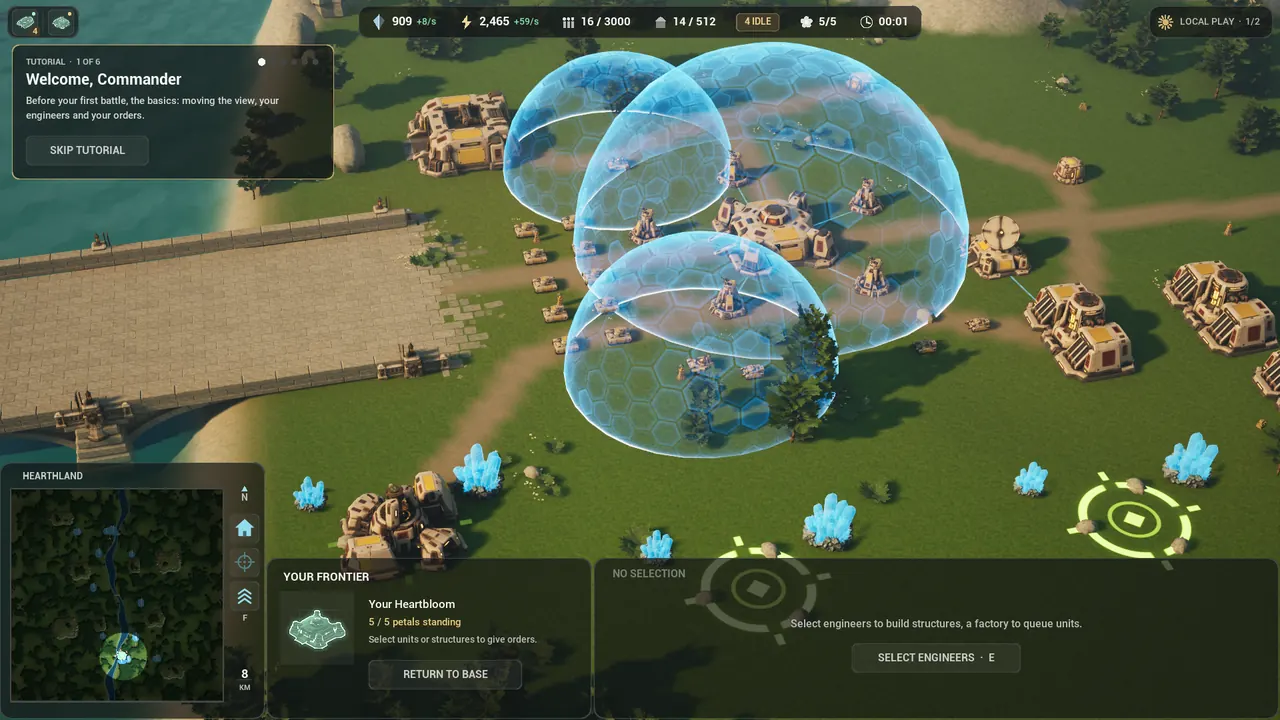
1. Welcome, Commander
“Welcome, Commander. Before your first battle, let’s learn the basics.” This step moves on by itself once the narrator has finished.
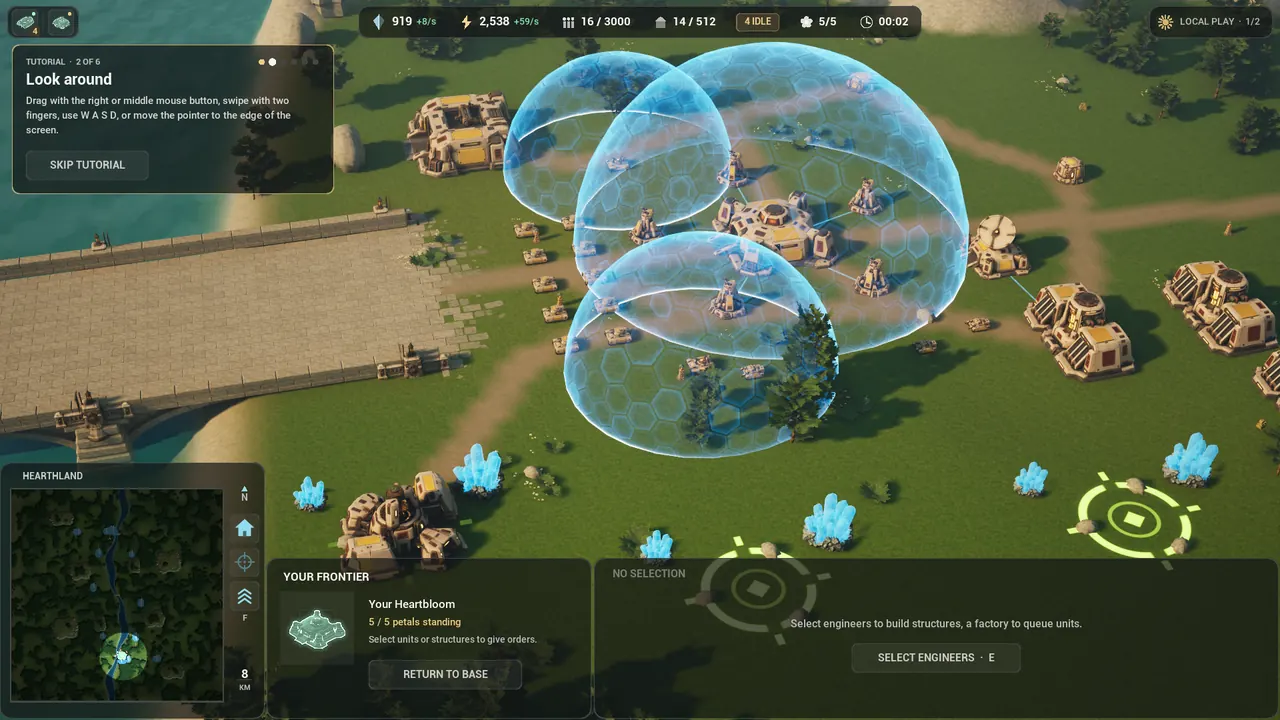
2. Look around
Move the view fifty metres any way you like:
- drag with the right or middle mouse button,
- swipe with two fingers on a trackpad,
- press WASD or the arrow keys,
- or move the pointer to the edge of the screen.
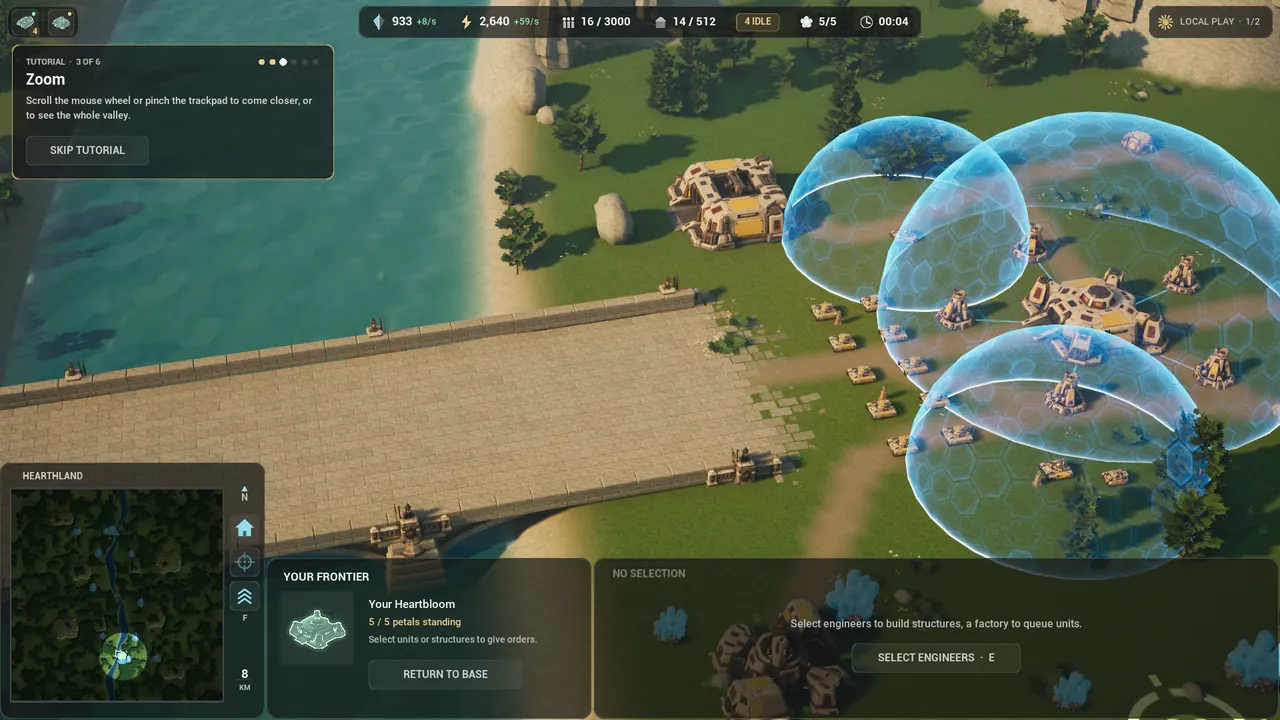
3. Zoom
Scroll the mouse wheel or pinch the trackpad to come closer, or to see the whole valley. A fifth of the camera’s height either way moves you on. Zoom out past 900 metres and units and buildings turn into icons: the strategic zoom, from which you can command the whole map.
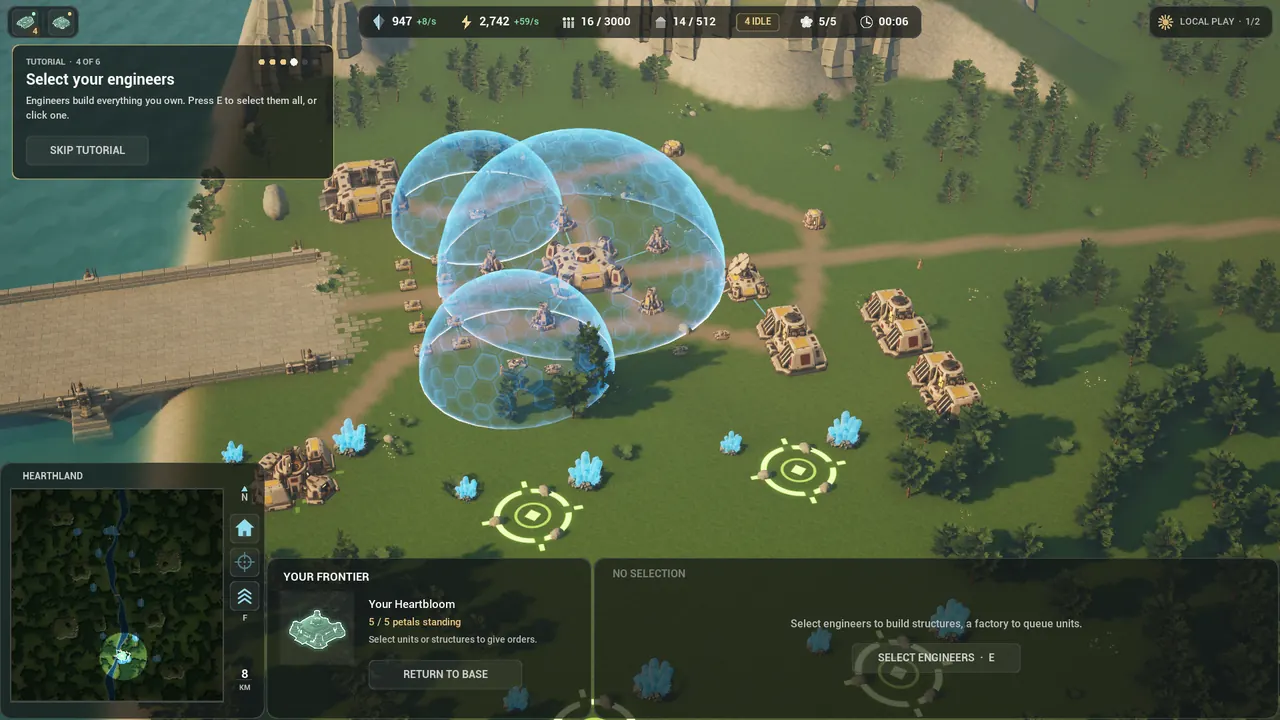
4. Select your engineers
Engineers build everything you own. The view centres on yours; press E to select them all, or click one. The guide’s building section says what they can do.
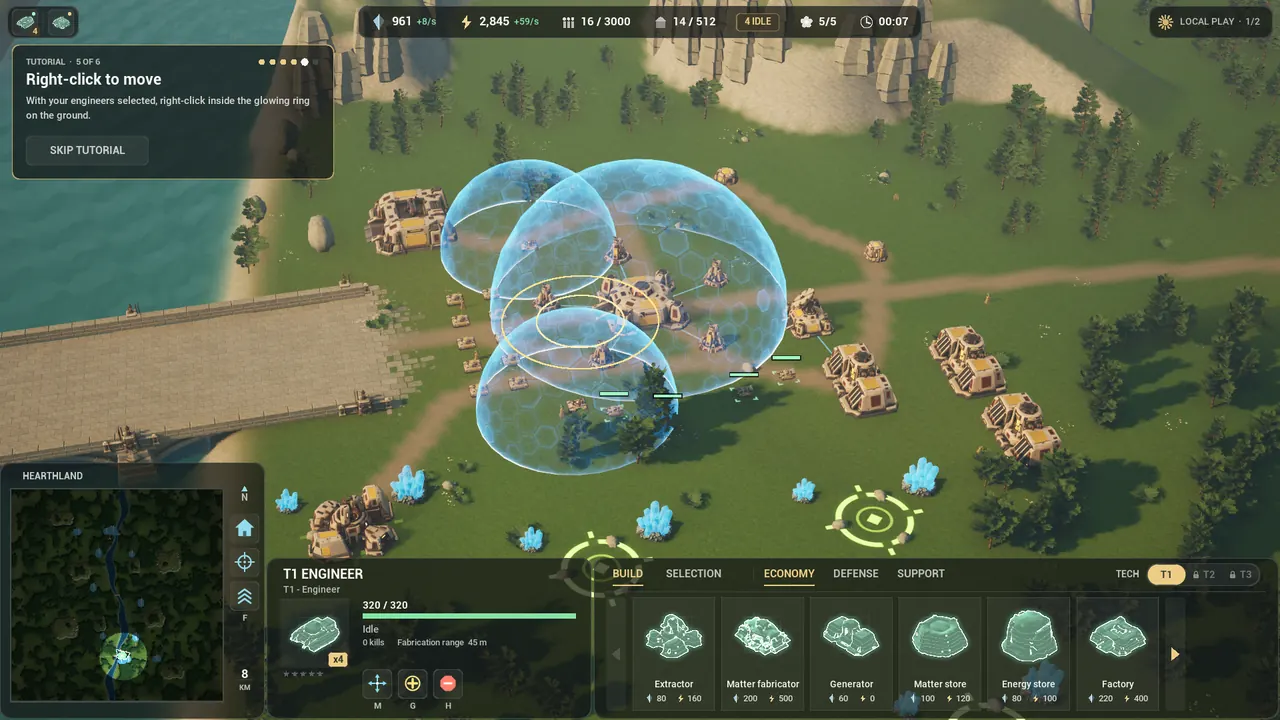
5. Right-click to move
A glowing ring appears on open ground fifty-five to ninety metres away, and the view frames your engineers and the ring together. With your engineers selected, right-click inside the ring. The step moves on when one of them arrives.
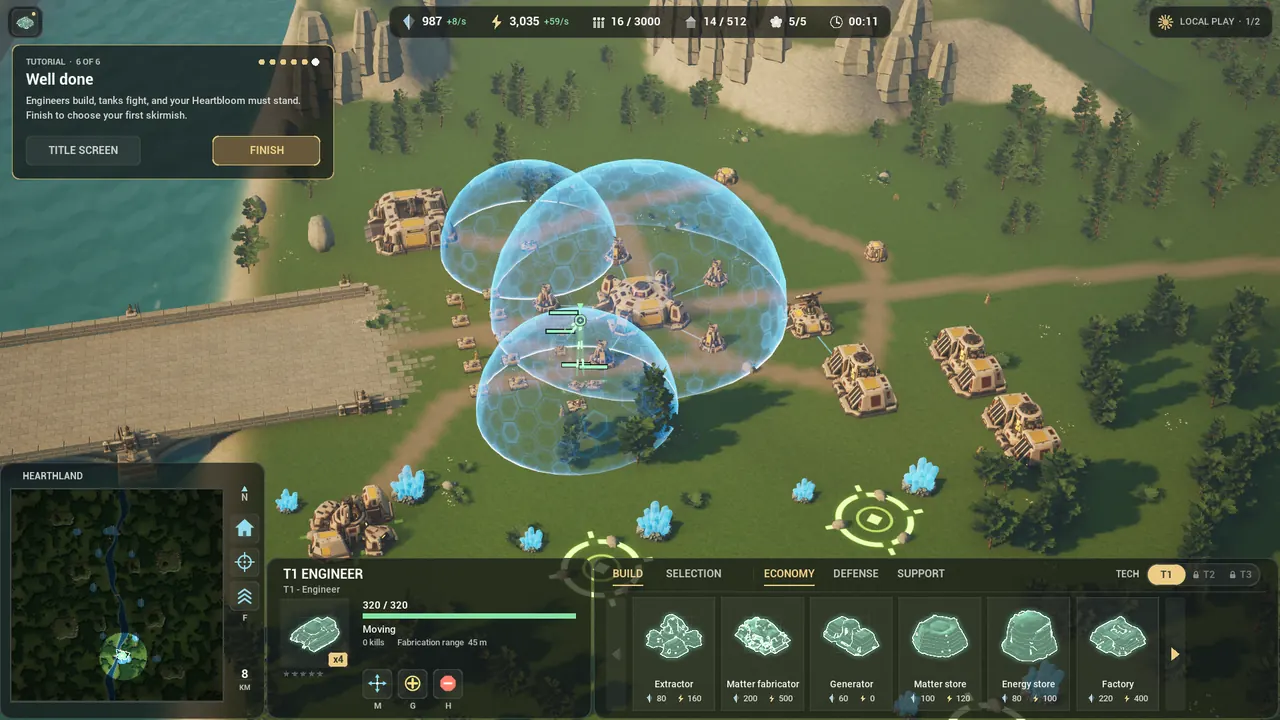
6. Well done
“Well done. Engineers build, tanks fight, and your Heartbloom must stand. Good luck, Commander.” Press Finish to go to the title screen and choose your first Skirmish.
After the tutorial
Learn the buildings by sight, with intact and destroyed views for every faction, then follow the illustrated commander’s guide to construction, production and defence.
The tutorial covers the view and your first order. The rest you learn in a match, and the commander’s guide has it all:
- Your first five minutes: an extractor, a generator, a factory queue and your tanks.
- How a match is won: the Heartbloom, its five petals and their shards.
- Every control: attack-move, patrol, assist, upgrades and control groups.
- For Supreme Commander players: what maps to what.
Why the game exists, and who makes it, is in our story.
Supreme Commander is a trademark of its owners. Petalwar is an independent game and is not affiliated with or endorsed by its makers.