The commander’s guide
Getting started
Win your first match: protect the Heartbloom and its petals, set up your starting economy, and give your first orders.
Browse the guide
How a match is won
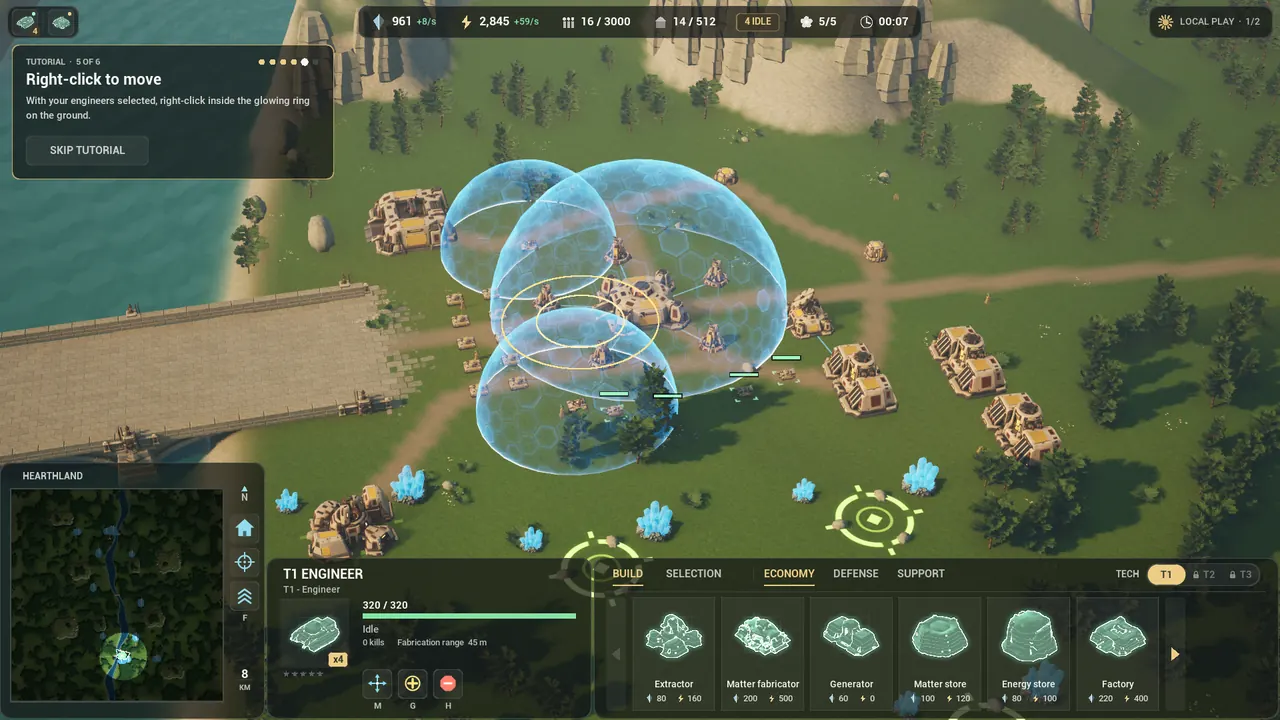
Every base grows around a Heartbloom on its centre pad, with five petals standing thirty metres out. While any one of your petals stands, your Heartbloom takes no damage and enemy units will not even target it. Lines of light run from each standing petal to the bloom, so you can see at a glance how well it is warded.
- A Heartbloom has 6,000 health and a petal 1,400.
- The bubble. From the first second the Heartbloom holds a shield dome over everything of yours within 48 metres, the petals included: 3,000 shield, needing no power, regenerating 40 a second once it has gone five seconds unhit. Drained to nothing, it is down until it has recharged in full, so a raid has to break it before the petals take a hit.
- Petal turrets. Every finished petal carries a turret that fires at aircraft, drones and ground units within 180 metres.
- Shards. A broken petal drops a shard. An engineer can pick it up and carry it to its own Heartbloom: there it regrows one of your missing petals, which takes twenty seconds and wards only once it is whole. If all five of your petals stand, the shard is worth 250 matter instead.
- Winning. The last side, or the last team, with a Heartbloom standing wins. If the last ones fall together, it is a draw. When the match ends, the fog lifts so you can see how it was won.
- Leaving. A commander who disappears from a match for two minutes forfeits it.

Your first five minutes
You start with a small base: a factory, three generators, an energy storage, a matter storage, an extractor and a radar, all at tier one, plus four engineers, ten light tanks and two tier-one mobile shields. You have 900 matter and 2,400 energy, and room for 1,500 and 4,500. In a Skirmish, the AI waits for your first order, so take a moment to look around.
- Press E to select your engineers, open BUILD, pick a structure and click the ground to place it.
- Put an extractor on a crystal deposit and add a generator: every building costs both matter and energy.
- Select your factory and click a unit card to queue it. Shift-click a card queues five; right-click removes one.
- Press F to select your tanks. Right-click the ground to move, right-click an enemy to attack, and Q attack-moves.
- When your economy can carry it, select the factory and press U to upgrade it. That unlocks tier two for everything else.
- Later, open a second front: an air factory beside your base, or a naval yard off the river bank.
New to Petalwar? Your first start opens a short voiced tutorial that teaches you to look around, zoom, select your engineers and move them, step by step. Play it again from the title screen’s Tutorial row. In a match, Esc opens the menu, where How to play lists every control.
All guide topicsBuilding field guide
Supreme Commander and Forged Alliance are trademarks of their respective owners. Petalwar is an independent game and is not affiliated with or endorsed by their makers or the Forged Alliance Forever project.